
Common PLC Problems in Industrial Automation Systems and How to Fix Them
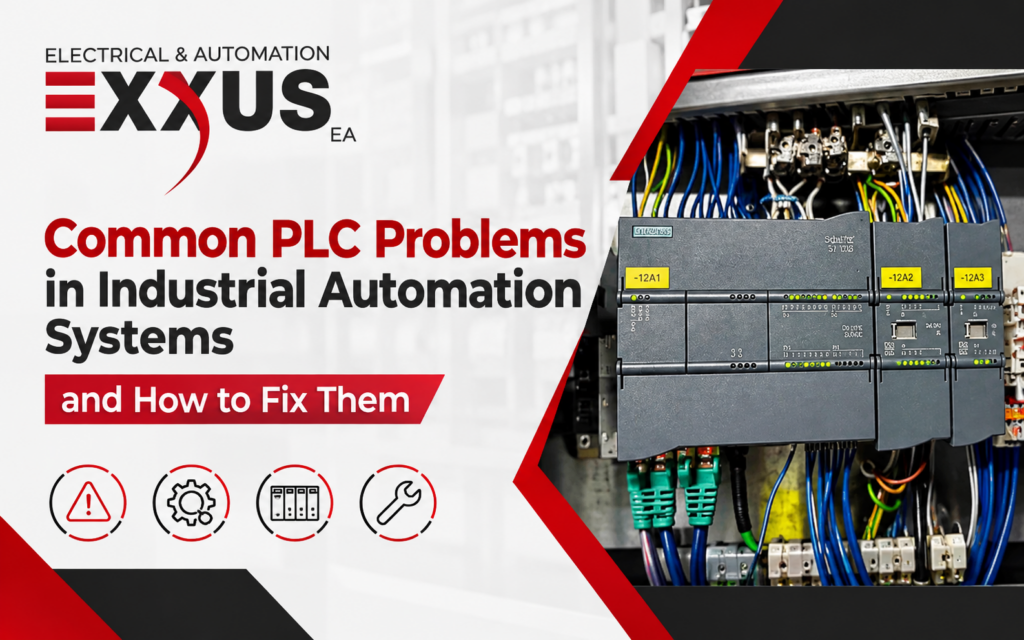
When a machine stops, the PLC often takes the blame. That can be misleading. The controller may be working exactly as programmed while a sensor, cable, power circuit or connected device is causing the stoppage.
Good PLC troubleshooting starts by checking what the machine is actually doing and comparing that with the information inside the control system. That approach narrows the fault before parts are replaced or program changes are made.
The PLC May Be Reporting the Fault, Not Causing It
A PLC relies on signals coming from the rest of the machine.
Consider a limit switch that confirms a guard or mechanical component has reached a position. If the signal never arrives, the program may stop at that step. The PLC has not necessarily failed. It is waiting for information it was programmed to receive.
The same thing happens on the output side. An output may show as energised in the PLC software, yet the motor, actuator or contactor does nothing.
That difference is worth keeping in mind during PLC fault finding. The alarm may tell you where the system noticed something was wrong. It does not always identify the component responsible.
Before replacing hardware, look at the HMI message, controller diagnostics, module indicators and physical state of the equipment.
Where to Start With PLC Troubleshooting
There is no magic order that works on every machine. A fault on a small packaging line will not be approached in exactly the same way as an issue involving distributed I/O and several industrial networks.
Still, a few checks can stop troubleshooting from turning into guesswork.
Look at What Happened Before the Fault
Start with recent events.
Was work carried out inside the control panel? Was a sensor replaced? Did the problem appear after a shutdown? Has someone changed a parameter or PLC program?
Timing can tell a useful story. A fault that occurs during machine start-up has a different character from one that appears after hours of operation. Likewise, a problem that only occurs during one part of a production cycle gives you somewhere specific to look.
Write down those details before resetting alarms. Once the machine is running again, useful clues are often lost.
Read the Diagnostics First
Fault logs and controller diagnostics are there for a reason.
Check the alarm history before clearing it. Look at processor status, module diagnostics and communication messages. A diagnostic entry may not hand you the answer, but it can point towards the part of the system involved.
LEDs are useful too, provided they are interpreted correctly. Their meaning changes between PLC families and manufacturers, so use the documentation for the actual equipment in front of you.
Don’t Ignore Control Power
A PLC reset is not automatically a PLC failure.
Control power issues can affect controllers, network equipment and remote modules at the same time. A supply problem, poor connection or fault elsewhere in the associated circuit may be responsible.
If cycling the power brings everything back online, that only proves the equipment restarted. It does not explain why it stopped.
Repeated resets deserve a proper investigation.
Compare the Screen With the Machine
This is one of the simplest checks and often one of the most useful.
A sensor may physically operate while its corresponding PLC input remains unchanged. That directs attention towards the sensor circuit, supply, wiring or input channel.
The reverse situation is also common. The PLC shows an output command, but nothing happens in the field. At that point, the controller has done its job. The problem may be sitting with the output circuit, actuator, drive or mechanical equipment.
Comparing software status with physical conditions can save a lot of unnecessary component replacement.
Check the Device That Lost Communication
Industrial automation systems can include PLCs, HMIs, drives, SCADA platforms and remote I/O.
When a communication alarm appears, identify the device involved rather than treating the entire network as the problem.
A connection may have failed. An address may be incorrect. A network component may have lost power. Configuration changes can also cause devices to stop communicating.
Check the existing network information before changing settings. A rushed adjustment can create a second fault.
Only Change the Program When the Evidence Leads There
PLC programming is sometimes the cause. It should not be the first thing edited simply because the machine is behaving unexpectedly.
A changed timer, parameter or interlock can stop a sequence. So can an unintended change to program logic.
Where possible, compare the running program with an approved backup. If someone made changes shortly before the problem started, that history matters.
Avoid forcing outputs or bypassing logic just to get production moving unless it is being done under an approved and controlled process. A workaround can hide the original fault.
Common PLC Problems Seen in Industrial Automation
1. Control Power Faults
Control power problems can cause PLC resets, shutdowns and connected equipment to disappear.
The source may be outside the controller. Check the wider supply circuit rather than assuming the PLC power supply has failed.
Repeated interruptions should be treated as a fault condition, not a reason to keep restarting the equipment.
2. I/O Problems
Input and output modules connect the controller to the physical process.
A failed input channel may stop information reaching the PLC. An output issue may prevent a command from reaching connected equipment.
Before replacing an I/O module, inspect the field side of the circuit. A damaged cable, failed sensor or missing field supply can create the same symptoms.
3. Communication Faults
Communication problems can appear in several forms.
An HMI may stop updating. Remote I/O may go offline. A drive may no longer receive commands.
The first question should be straightforward: which device stopped communicating?
Once that is clear, the physical connection, network hardware and configuration can be checked against the system design.
4. Processor or CPU Faults
A CPU fault can stop an automation system, but replacement should follow a confirmed diagnosis.
Controller status and manufacturer diagnostic information can provide clues about why the processor entered a fault condition.
If replacement hardware is required, compatibility matters. Firmware, program files, hardware configuration and communication settings all need consideration before commissioning another controller.
5. PLC Programming Errors
Hardware may appear normal while the program itself prevents the machine from operating.
A changed parameter, incorrect condition or altered sequence can produce unexpected behaviour.
This is where change records become valuable. If the problem began after software work, comparing versions may reveal what changed.
Good PLC programming practice includes maintaining current backups rather than relying on an unknown copy saved years earlier.
6. Sensor and Field Device Failures
Sensors spend their working life close to the process. They can be knocked out of position, damaged or affected by the surrounding environment.
When a machine waits for a signal that never arrives, check the field device before condemning the PLC.
A sensor fault may appear on the HMI as a control-system issue even though the controller is simply waiting for its programmed condition.
7. Wiring and Connection Faults
Loose terminals can be difficult to catch.
The machine may run perfectly during an inspection and fail later when vibration or movement affects the connection. Damaged cables can produce similar intermittent behaviour.
Use current electrical drawings when tracing a circuit. Guessing where a conductor goes is not a reliable fault-finding method.
Electrical work must also be performed within the applicable safety and licensing requirements.
8. Electrical Noise and Signal Problems
Motors, drives and switching equipment can affect sensitive control or communication signals.
There is no single fix for electrical interference. Cable routing, separation between power and signal circuits and grounding arrangements need to suit the equipment and installation.
Check the manufacturer’s installation requirements and available system documentation before altering the wiring arrangement.
9. Intermittent Faults
Intermittent faults often take longer to solve because the evidence disappears.
When the problem occurs, record the time, alarm, operating condition and machine stage. Do this consistently.
After several occurrences, a pattern may become obvious. The fault may be linked to temperature, vibration, a particular operating sequence or a connected field device.
Treating every occurrence as unrelated makes these faults harder to trace.
10. Obsolete PLC Hardware
An older PLC may still operate reliably, but support becomes a concern when processors and modules are discontinued.
Age alone is not a reason to replace a system. The bigger question is what happens if a critical part fails.
Check spare-part availability, manufacturer support and the operational importance of the equipment. Planning an upgrade before an emergency gives the business more options.
Environmental Conditions Can Affect Control Equipment
The control cabinet does not operate in isolation from the workplace around it.
High temperatures can affect electronic equipment. Dust can build up and interfere with ventilation. Moisture and condensation may create problems where enclosures are unsuitable for the surrounding conditions.
Vibration deserves attention around heavy equipment as well. Connections and mounted components may be affected over time.
These factors are part of the investigation, particularly where faults keep returning. Their relevance depends on the equipment, installation and manufacturer’s specified operating conditions.
Is the PLC Actually the Problem?
A quick comparison can stop troubleshooting from heading in the wrong direction.
Symptom | Possible starting point |
PLC will not start | Control power, processor, hardware or configuration |
Input does not change | Sensor, wiring, field supply or I/O channel |
Output is active but nothing happens | Output circuit, actuator, drive or equipment |
Remote I/O is offline | Network connection, power or configuration |
HMI loses data | PLC, HMI, network or communications |
Fault appears after several hours | Heat, vibration, connections or process conditions |
Problem follows a software change | Program logic, parameters or configuration |
PLC repeatedly resets | Control power, hardware or related electrical issues |
Use this as a starting point, not a diagnosis. The same symptom can have more than one cause.
Maintenance That Supports Reliable PLC Operation
PLC maintenance is partly about keeping the right information available.
Program backups should reflect approved changes. Configuration files and electrical drawings should also be current. Old documentation becomes a problem when a controller fails, and nobody is certain which version of the program is running.
Fault records are useful for another reason: recurring problems often become easier to recognise when previous events are documented.
Physical inspections also matter. Panel ventilation, contamination, cable condition and accessible connections may reveal issues before they interrupt production.
For older installations, review spare-part availability before an urgent replacement is required.
When Does a PLC Fault Need Further Technical Support?
Some faults are obvious. Others involve several layers of the automation system.
Recurring communication failures, processor faults, unavailable remote I/O and unexplained sequence problems may require deeper investigation.
Electrical work also has regulatory requirements. In Western Australia, electrical work covered by the Electricity (Licensing) Regulations 1991 falls under the state’s licensing framework.
There is a practical reason for caution too. Changing wiring or PLC logic without a clear diagnosis can create additional faults and extend the downtime you were trying to reduce.
PLC Troubleshooting Support from Exxus
Production delays become harder to manage when a PLC alarm points in one direction while the actual fault sits somewhere else. Exxus Electrical & Automation works with PLC programming and industrial automation systems, helping investigate control issues across connected equipment. If you are dealing with a recurring PLC fault or an automation problem that needs further investigation, contact Exxus Electrical & Automation to discuss the equipment and issue involved.
FAQs
Can a PLC fault clear by itself?
The alarm may disappear if the event was temporary. A brief communication interruption, unstable signal or power disturbance may clear before inspection. A recurring fault should still be recorded and investigated.
Does a PLC require an internet connection?
No. A PLC can run locally without internet access. Internet connectivity is only required where the control system uses external services such as remote monitoring or connected data platforms.
Can a PLC program be moved to another controller?
Sometimes, but compatibility must be checked first. Controller family, firmware, I/O configuration and communication settings may affect whether an existing program will run correctly on replacement hardware.
Can a PLC-controlled machine operate without an HMI?
Yes. The PLC can execute its program without an HMI. The HMI gives operators a way to view information and interact with the machine, but not every control system requires one.